Make Your First
Open Source Contribution
Discover beginner-friendly issues, understand codebases with AI assistance, and submit your first pull request with confidence.
Everything you need to
start contributing
Powered by AI and built on Cloudflare's edge platform
- Curated repository sources
- Real-time issue tracking
- Smart change detection
- Repository overviews
- Issue context & first steps
- Difficulty assessment
- WebSocket-based chat
- Stateful conversation
- Natural language actions
- Language preferences
- Difficulty matching
- Quick onboarding
- Repository forking
- Automated branch setup
- PR creation workflow
- Global edge deployment
- Sub-50ms latency
- Automatic scaling
From discovery to your first pull request
A guided journey with AI assistance at every step
Discover Issues
Start by chatting with the AI agent or browsing the dashboard. Tell us your interests and skill level, and we'll suggest beginner-friendly issues that match.
Get AI Guidance
Ask the AI agent to explain any issue. Get context about the codebase, understand what needs to be fixed, and receive personalized recommendations for your skill level.
Set Up Your Workspace
Request GitHub actions through natural conversation. The agent will fork the repository and create a branch for you—all with your confirmation.
Make Your Changes
Clone the repository locally and work on your contribution. The agent is always available to answer questions about the codebase or best practices.
Submit Your PR
Once you've pushed your changes, use the agent to draft comments and create a pull request. Get help following the repository's contribution guidelines.
Track Progress
Monitor your contributions through the dashboard. Favorite issues and repos to track them, and return anytime—the agent remembers your conversation context.
A split-view interface built for productivity
Chat on the left, explore on the right—everything you need in one view
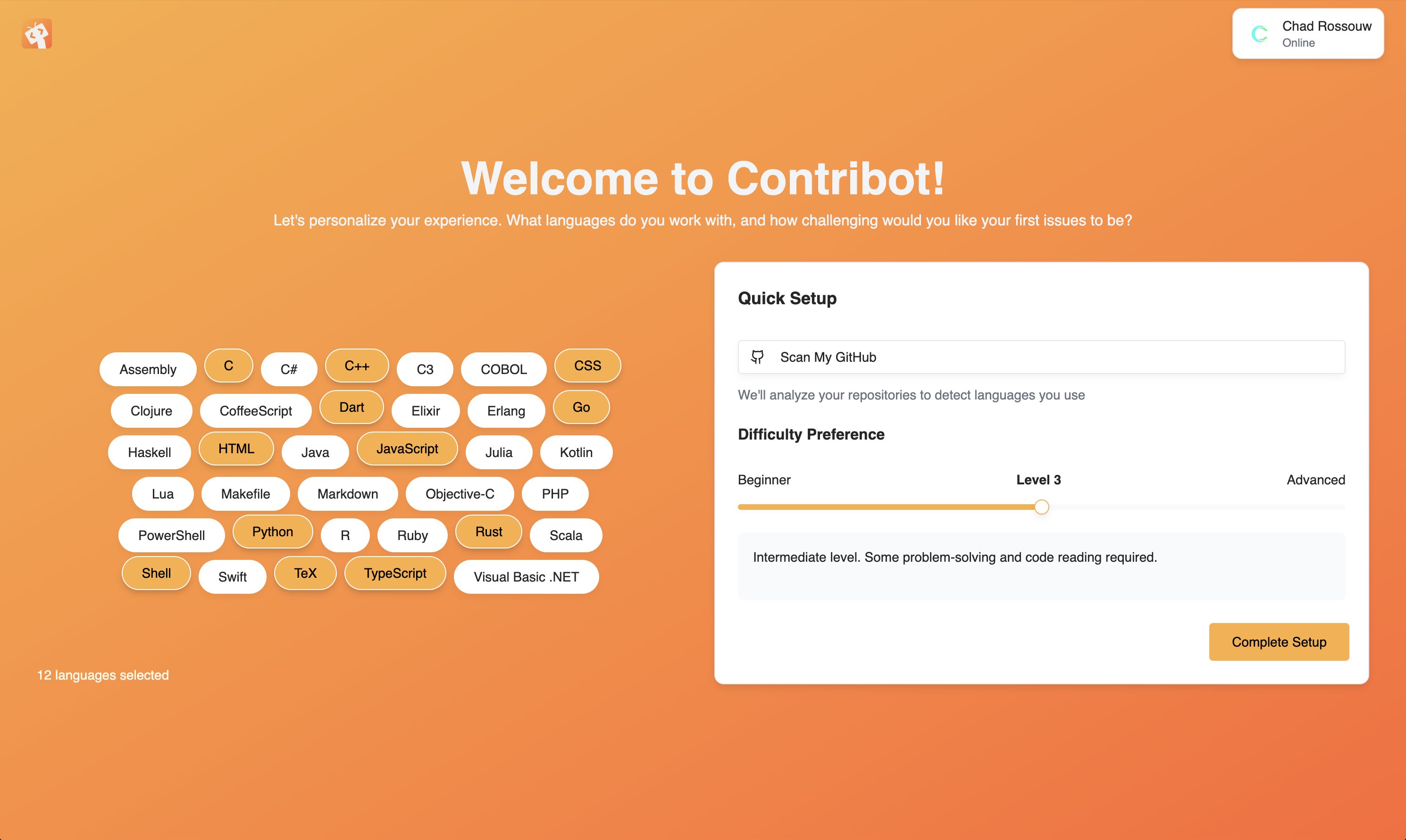
Quick 60-second setup to personalize your experience
Edge latency for real-time chat
Fresh issue updates from GitHub
Summaries and difficulty scoring
Open source and always will be
Powered by the edge
A simple architecture designed for speed and reliability
Collect
Automated discovery
Analyze
AI-powered insights
Deliver
Instant access
Edge Network
Cloudflare Workers & Pages
D1 Database
Edge-replicated SQLite
AI Models
OpenAI & Llama 3.3 70B
Durable Objects
Stateful AI agents
Common questions
Everything you need to know about getting started
Ready to make your first contribution?
Join the open source community today. It's free, beginner-friendly, and takes less than 60 seconds to get started.